Add Playful Precision with the Star Monoline Procreate Brush
For digital artists seeking a balance between elegance and whimsy, the Star Monoline Procreate Brush offers a unique combination of clean, consistent strokes and charming dotted lines. Whether you're designing stickers, creating patterns, or adding delicate details to illustrations, this brush brings a polished yet playful aesthetic to your work. It's especially useful for those who appreciate precision but want to infuse their art with a soft, artistic flair.
Understanding the Star Monoline Procreate Brush
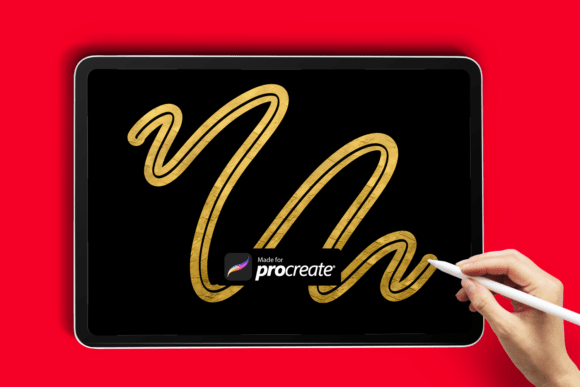
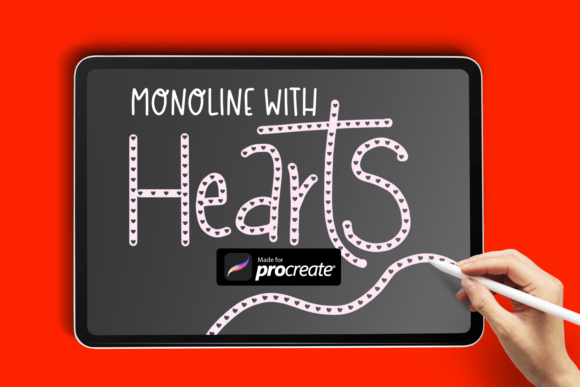
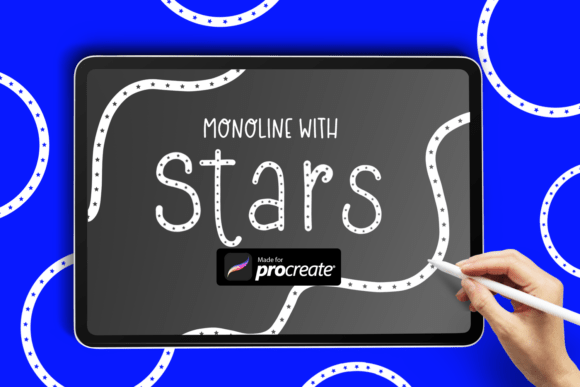
The Star Monoline Procreate Brush is a smooth, pressure-sensitive monoline brush that delivers even texture and steady strokes. Unlike standard inking brushes, it features a subtle dotted line pattern that resembles tiny stars or polka dots, giving your artwork a refined yet charming appearance. It's ideal for artists who want to add decorative linework without sacrificing control or clarity.
Many digital creators are drawn to this brush because of its versatility. It works well for hand-lettering, botanical sketches, minimalist illustrations, and even UI design elements. Its clean, predictable behavior makes it a favorite among both beginners and seasoned illustrators who value efficiency and visual appeal.
Common Mistakes When Using the Star Monoline Brush
Despite its intuitive design, users often encounter issues when first working with the Star Monoline Procreate Brush. Some of the most common missteps include:
- Incorrect file extraction – Users sometimes struggle to extract the .brush file properly, especially if they're unfamiliar with handling zip folders on iPad.
- Using the brush at an inappropriate size – Some artists apply the brush too large or too small, which can distort the intended dotted effect.
- Assuming it's a texture brush – Because of its dotted pattern, some users expect it to behave like a textured brush, only to be surprised by its smooth, monoline nature.
- Overlooking pressure sensitivity settings – The brush performs best with pressure-sensitive styluses, but not everyone adjusts their settings accordingly.
How These Mistakes Affect Your Artwork
Each of these oversights can impact your final results in different ways. For example, if the brush is applied too large, the dotted pattern may become distracting rather than decorative. Similarly, incorrect pressure settings can lead to uneven strokes, defeating the purpose of a smooth, consistent monoline brush.
Extraction errors may prevent the brush from appearing in your Procreate library altogether, leading to frustration and wasted time. Misunderstanding the brush’s intended use can also result in poor design choices, such as trying to use it for shading or heavy inking, where it simply won't perform well.
How to Avoid These Issues
Avoiding these common problems starts with a clear understanding of what the Star Monoline Procreate Brush is designed to do. Here are some practical steps to ensure a smooth experience:
- Extract the brush correctly – After downloading, locate the zip folder using the Files app on your iPad, tap to extract, then open the .brush file directly in Procreate.
- Test at different sizes – Start with a mid-range brush size (around 2–4%) to see how the dots appear, then adjust as needed for your specific project.
- Use it for its intended purpose – Stick to line work, pattern making, or decorative elements rather than expecting it to handle shading or texture-heavy tasks.
- Check your stylus settings – Ensure your stylus is calibrated and that pressure sensitivity is enabled in Procreate for optimal stroke consistency.
What to Check Before Downloading or Using the Brush
Before downloading or using the Star Monoline Procreate Brush, it's wise to verify a few key points:
- Compatibility – Confirm the brush is compatible with your version of Procreate and your iPad model.
- File integrity – Ensure the download completes fully and the zip folder contains the correct .brush file.
- Artist reputation – Download brushes only from trusted creators or marketplaces to avoid corrupted or misleading files.
- Usage rights – Check whether the brush is for personal use, commercial use, or requires attribution.
Realistic Examples of Better Brush Use
Let’s say you’re designing a set of minimalist stickers for a planner brand. Using the Star Monoline Procreate Brush at a small size can add a soft, whimsical border without overwhelming the design. In contrast, applying it too thickly could make the sticker look cluttered and less appealing.
Another example: if you're lettering a quote, using the brush for outlines or connecting strokes can elevate the design. But if you try to use it for filling in letters or creating bold text, you’ll likely end up with uneven, unattractive results.
Choosing the Right Tools for the Job
The Star Monoline Procreate Brush shines when used correctly, but it's not a one-size-fits-all solution. It excels in situations where precision and charm are both important. However, for heavier strokes or textured effects, you may want to pair it with other brushes like a standard monoline, a watercolor brush, or a chalk texture.
When building your brush library, consider how each tool complements your workflow. The Star Monoline works best when used alongside brushes that handle different aspects of your illustration—such as shading, filling, or background work—so you can layer and blend with confidence.
Final Thoughts
The Star Monoline Procreate Brush is a delightful tool for digital artists who enjoy blending structure with charm. By understanding its capabilities and avoiding common pitfalls, you can make the most of its elegant, dotted linework. Whether you're creating stickers, illustrations, or custom designs, this brush can become a go-to option for clean, artistic strokes that stand out without overpowering your composition.
Remember, the key to getting the most from any brush is knowing how it behaves and using it where it performs best. With a little practice and the right approach, the Star Monoline can elevate your digital art with a touch of refined playfulness.